



Free — £0
No card requiredA working AI phone line with your own number, capped so you can hear it handle real callers first.
20 AI-answered calls and 50 messages a month, with your own number included.
Restaurants · during service
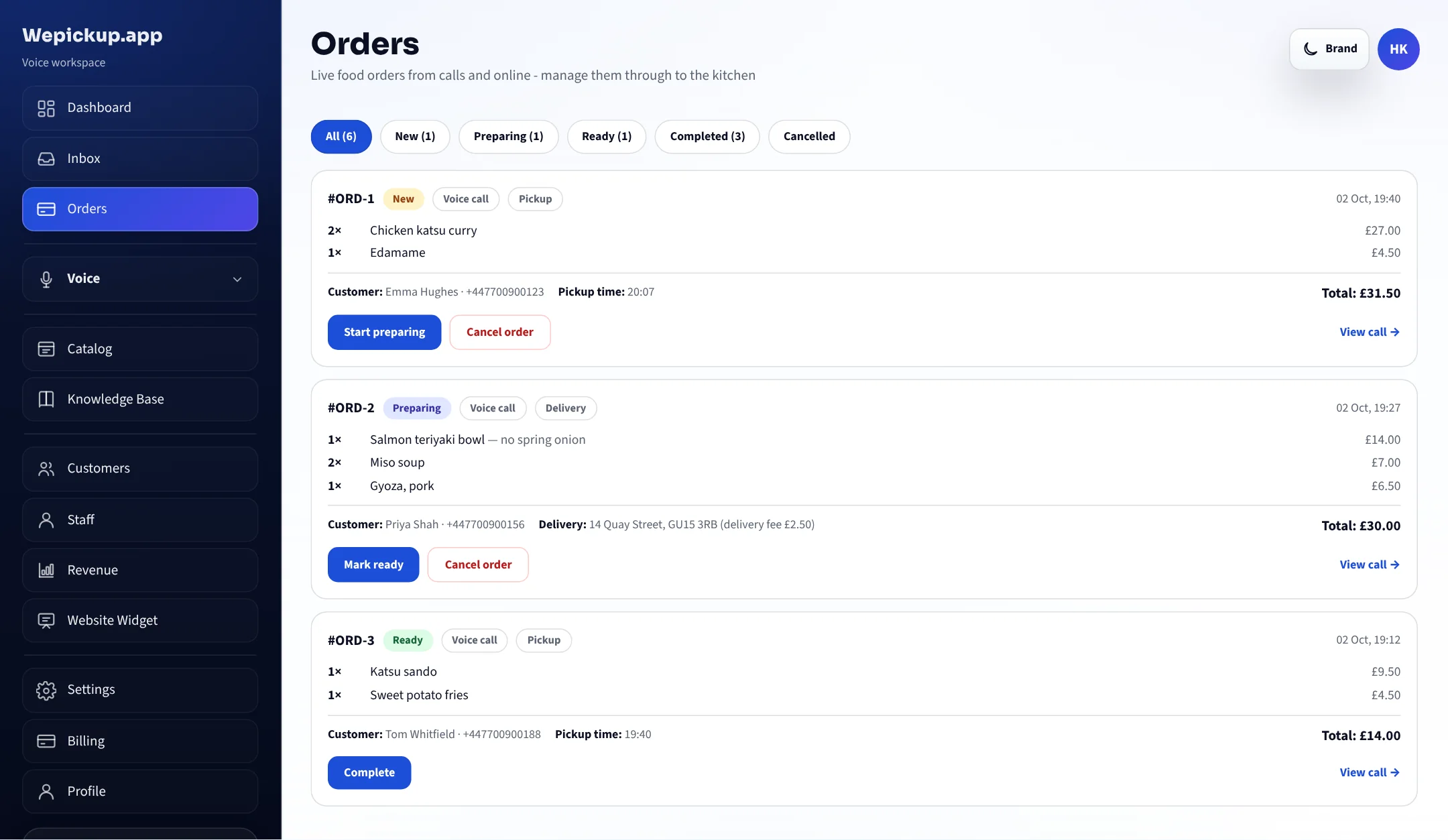
The kitchen is flat out and the phone rings. Wepickup takes the order from your own menu, at your prices, and puts it on the Orders screen.
Free plan, no card required. 20 AI-answered calls a month.
Wepickup picks up your business phone, takes the order or the booking from your own menu and diary, and puts it on a screen your team already has open.
The real product
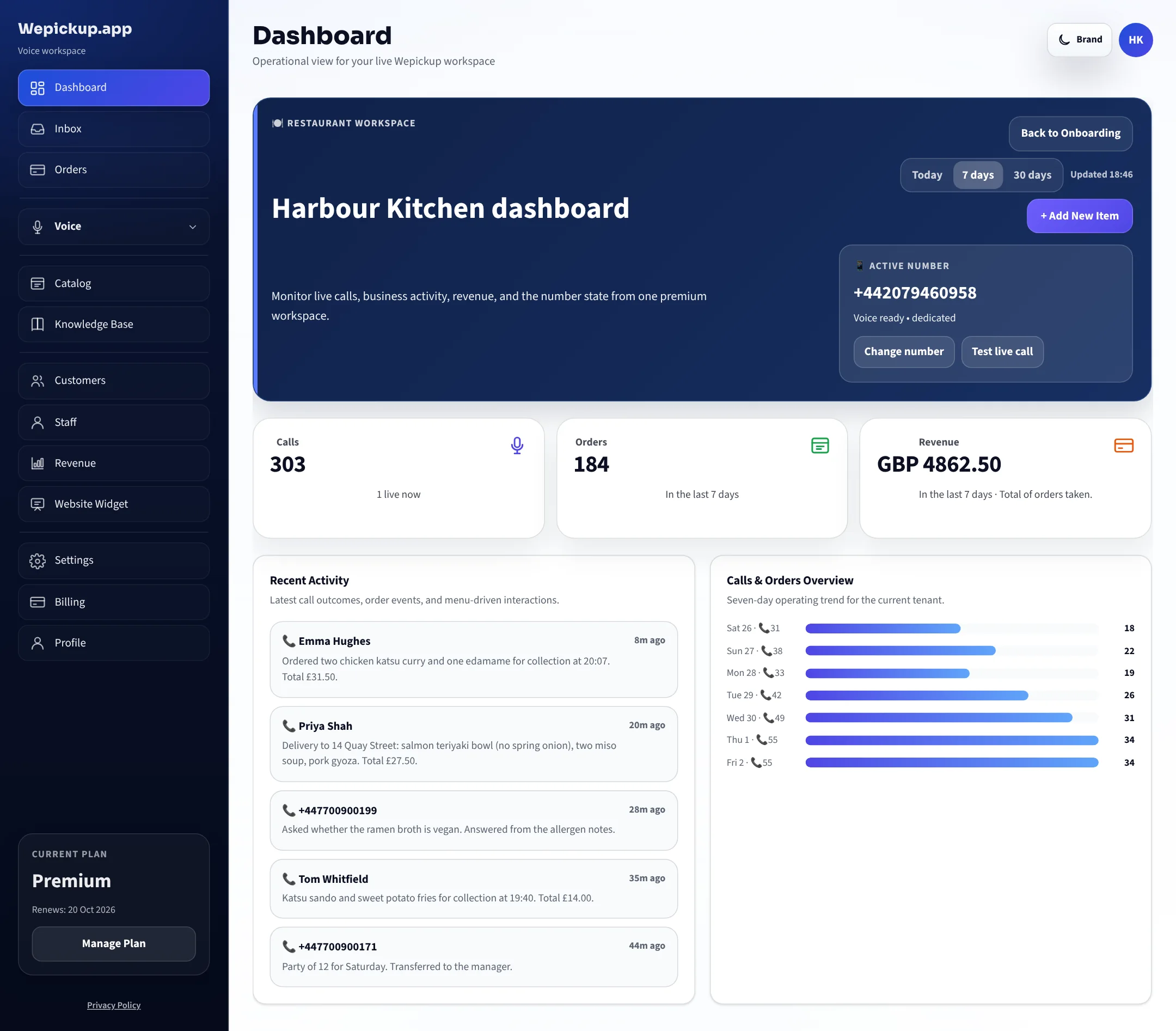
Not a mock-up. This is the Wepickup dashboard, shown with a demo restaurant: calls answered, orders taken, revenue, and what every call produced.
What happens on a call
Setup is self-serve: connect a number, import your menu or service list, set your hours.
It answers
The assistant greets the caller in your name, reads prices from your menu and never guesses one.
It takes the order
Items, notes, collection time or delivery address, and the total. Your team marks it preparing, ready and complete.
It books the appointment
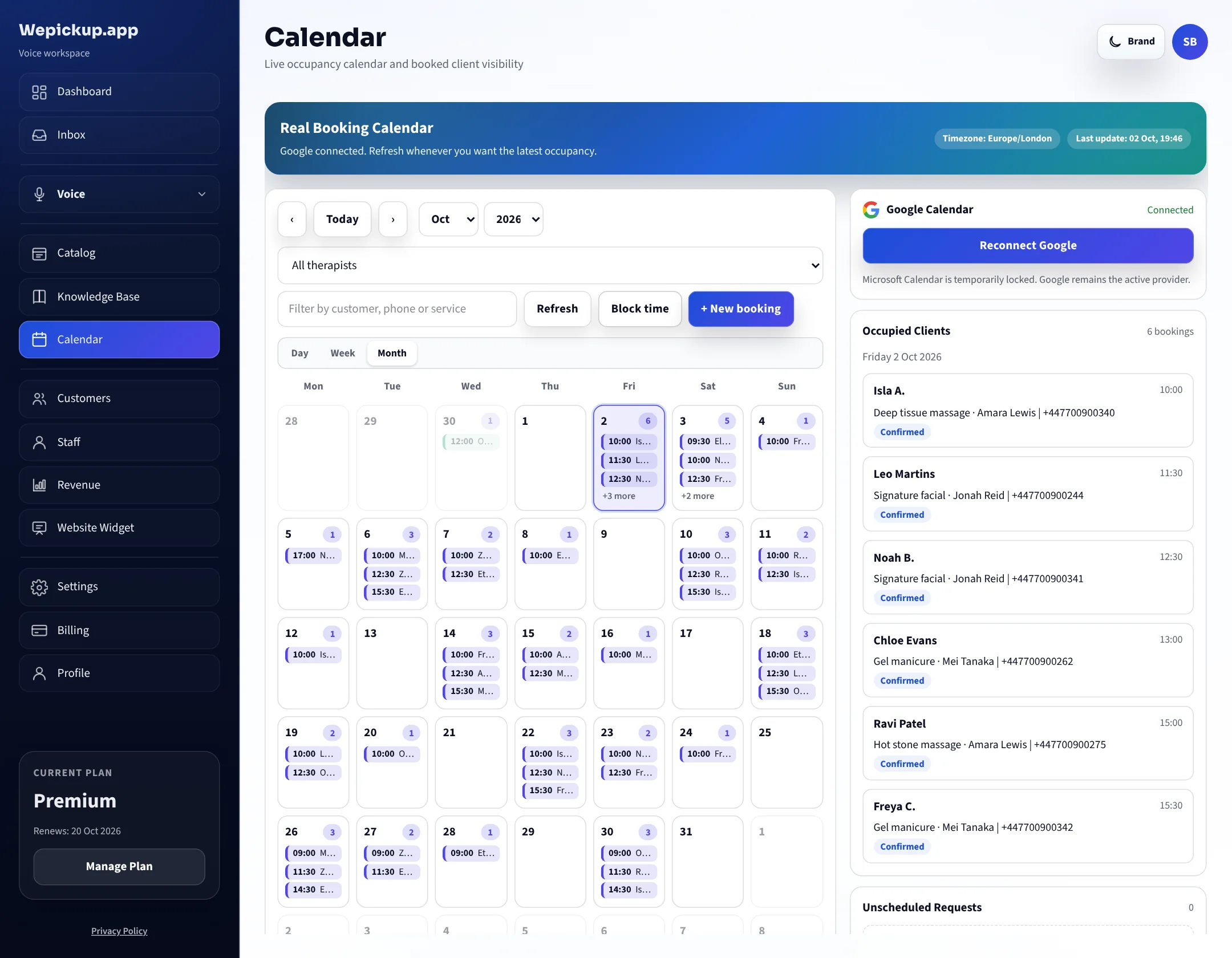
For spas and salons, the booking lands in the calendar and syncs with Google. The guest gets a text.
It hands over
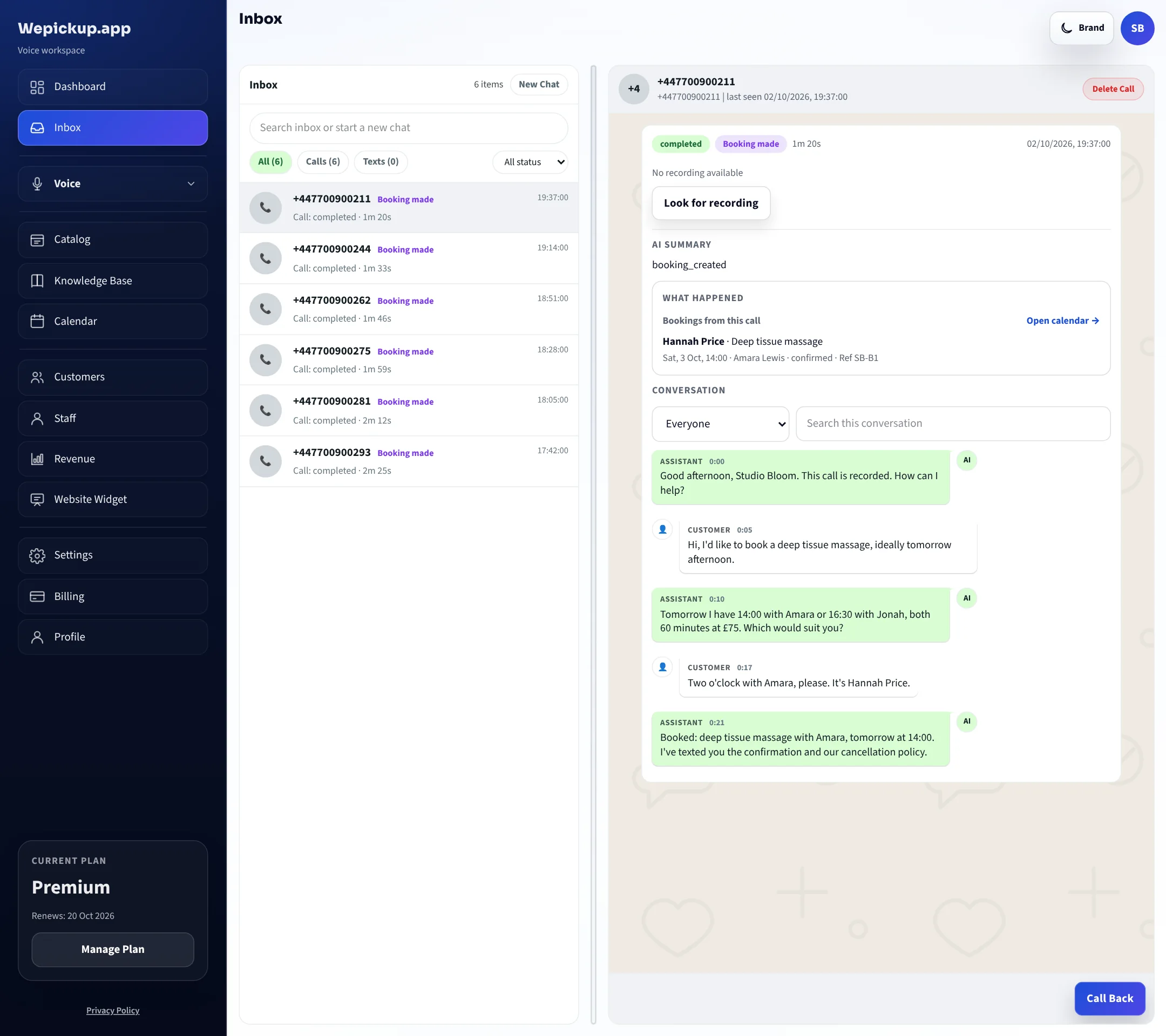
When a caller asks for someone, or a question falls outside your written rules, the call goes to the number you nominate and the reason is logged.
Watch it work
Recorded in the real dashboard: a takeaway order on a busy Friday, then a massage booked at a day spa.
Two businesses, one phone problem
Hear a call
Two example calls, turn by turn, beside what each one leaves in the dashboard.
Harbour Kitchen
19:42 on a Friday. Both staff on the pass. The phone rings for the fourth time in ten minutes.
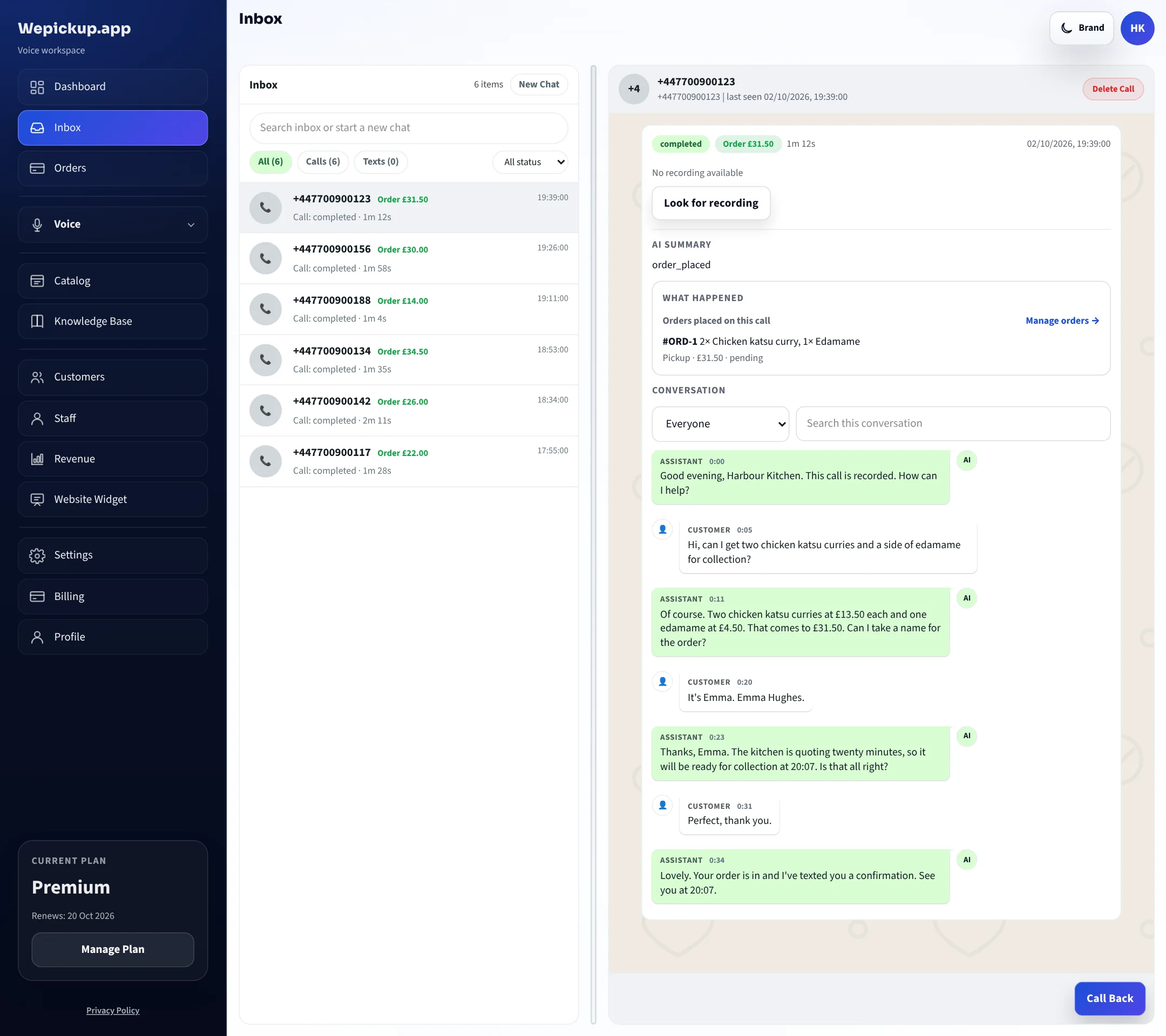
Good evening, Harbour Kitchen. How can I help?
Hi — can I get two chicken katsu and a side of edamame for collection?
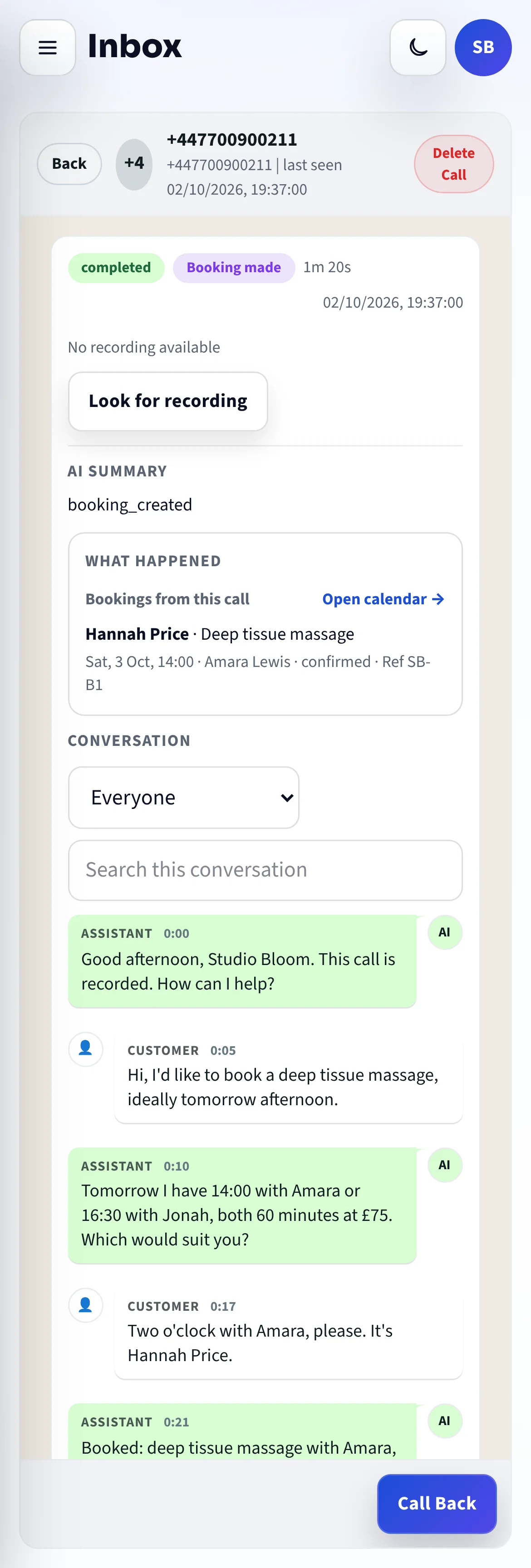
Two chicken katsu and one edamame. The katsu is £13.50 each and edamame is £4.50 — £31.50 in total.
lookup_menu_itemPrices read from the catalog, not generated
Perfect. How long?
Collection is about 25 minutes tonight. Can I take a name and number for the order?
search_knowledgeCollection timing from your saved business rules
It's Emma, 07700 900123.
Thanks Emma. That's booked in for 20:07 collection. I'll text you the summary now.
place_orderOrder written to the Orders screen
Sent. See you shortly.
send_text_to_callerOne combined confirmation per call
Illustrative call using the seeded demo business Harbour Kitchen. Tool names are the ones the live runtime calls.
What both share
Whichever path you are on, the assistant works from data you control and leaves a record you can check.
Menu items, services, opening hours, delivery rules and written policies all live in your workspace. The assistant reads them during the call, which is why a price it quotes is a price you set.
When something is not covered, it says so, then offers to take a message or put the caller through.
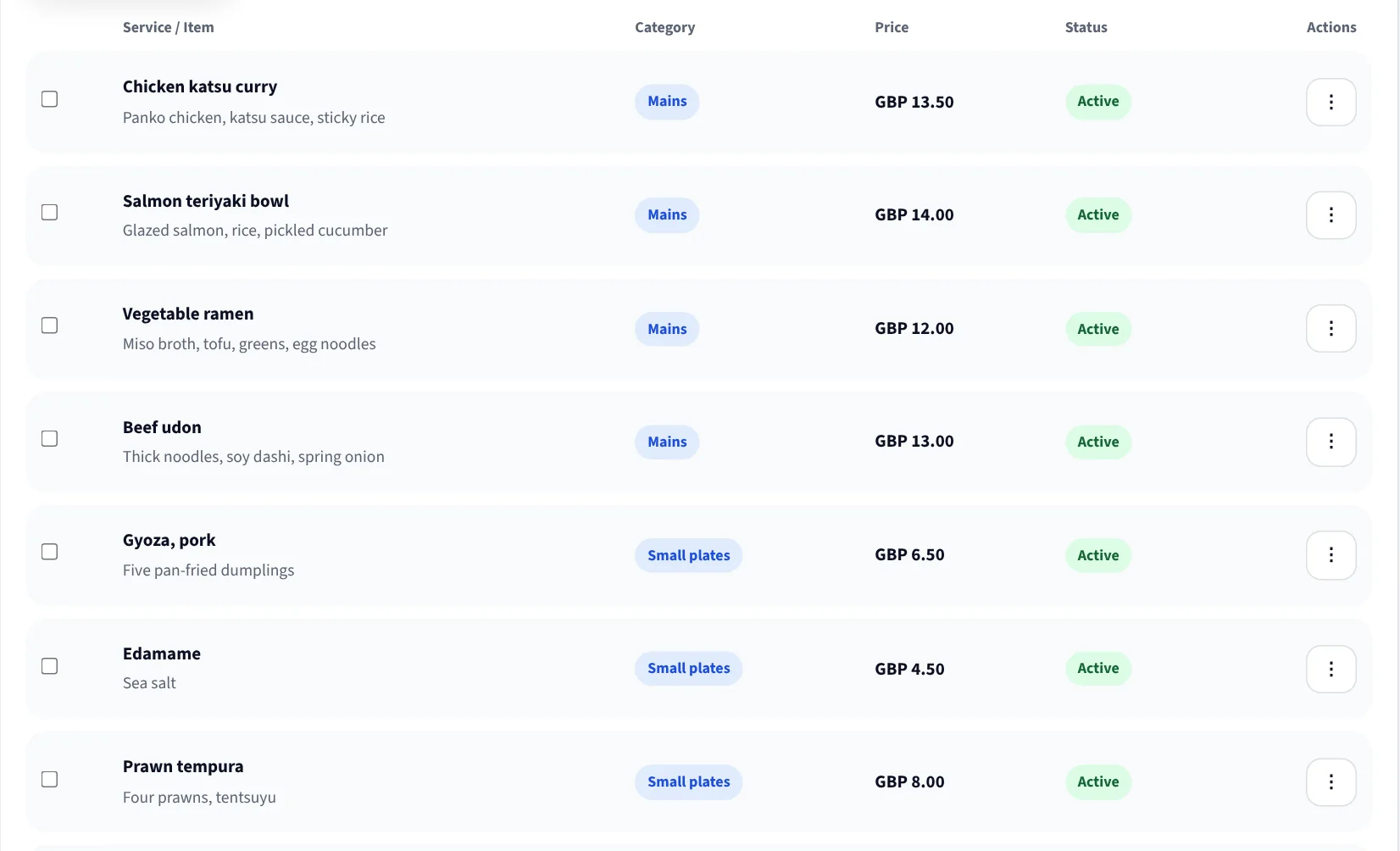
Allergens, delivery area, parking, cancellation policy: write it once in the knowledge base and every caller gets the same answer.
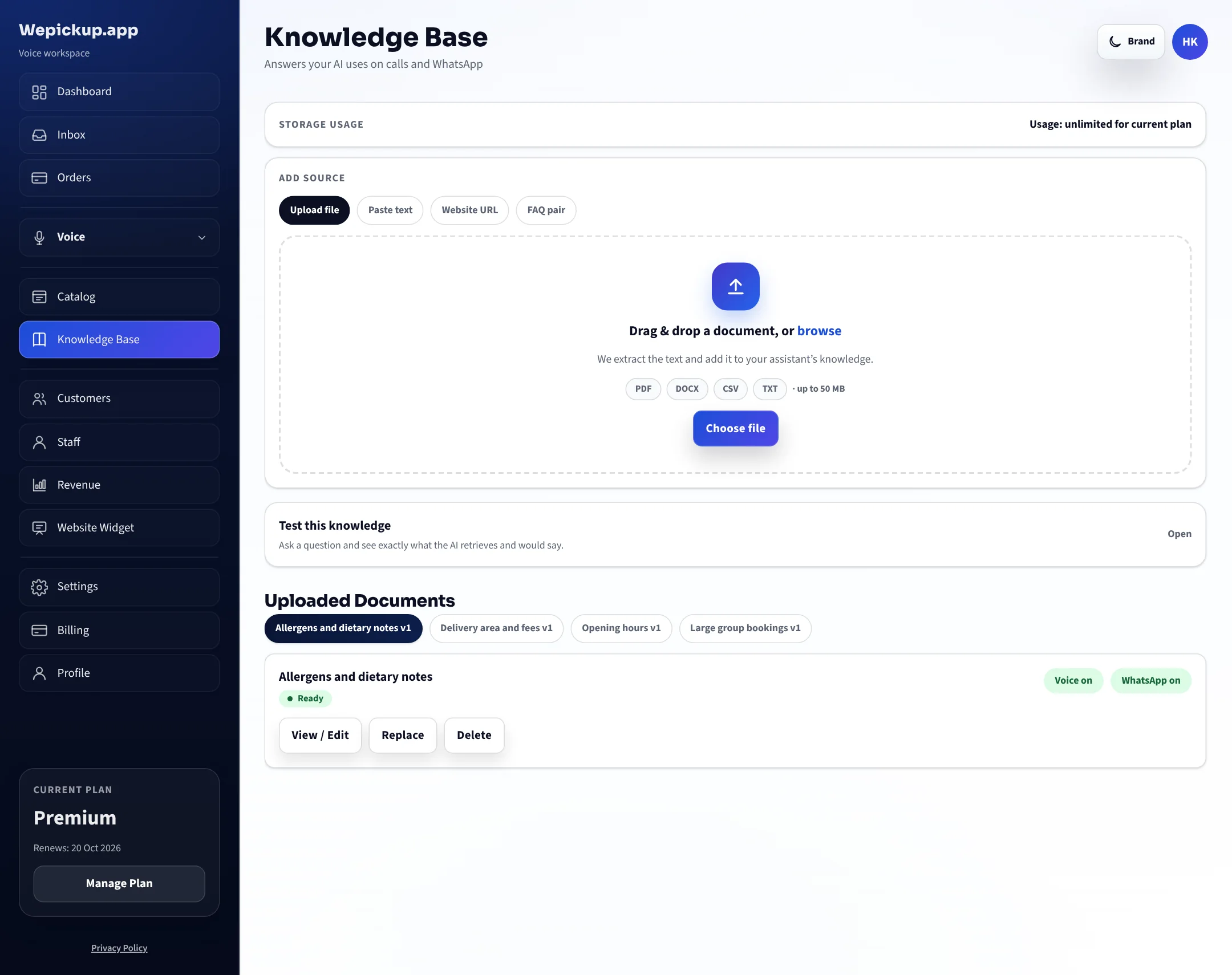
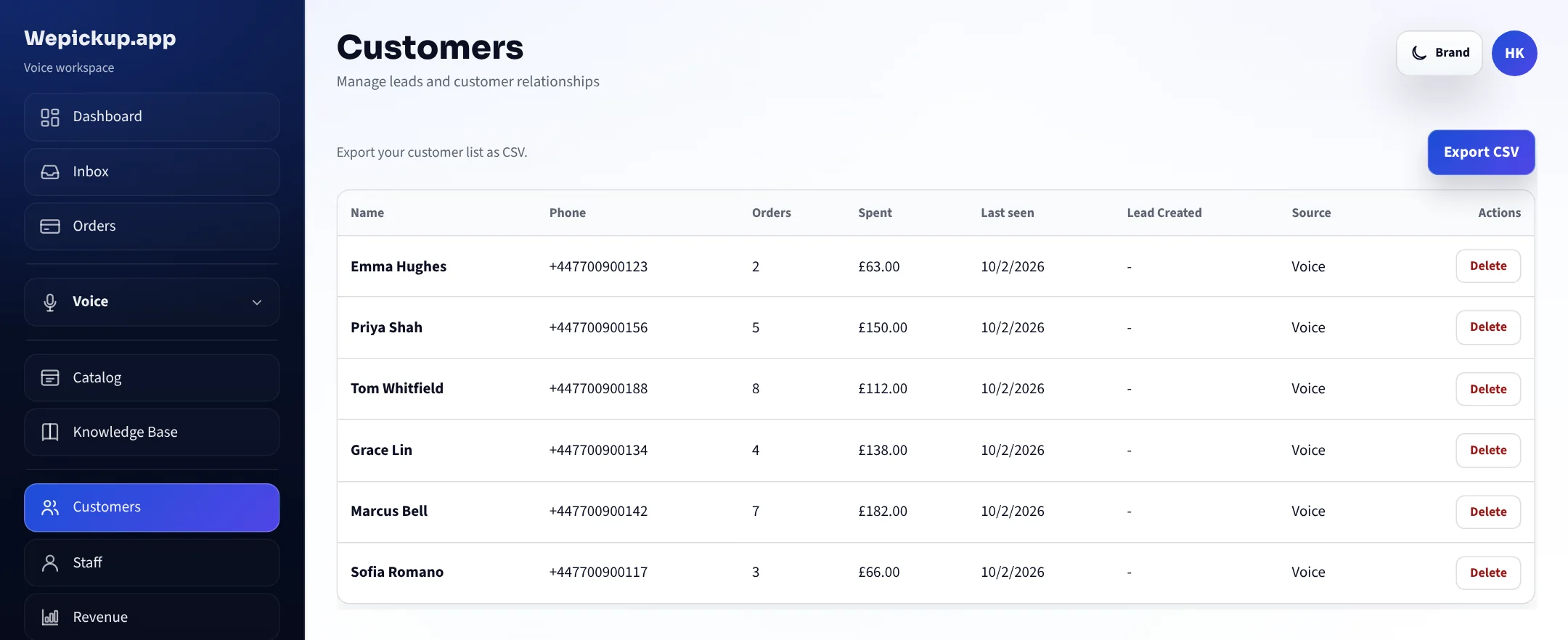
Orders, bookings and customers build up in the same workspace, so a regular is recognised rather than starting from scratch.
WhatsApp workspace: coming soon. Handling WhatsApp enquiries in the same workspace is built, but it is still going through Meta’s validation. It is not part of what you buy today.
Pricing
Prices are in GBP, excluding VAT. Every plan includes your own number; the difference is volume and tools.
A working AI phone line with your own number, capped so you can hear it handle real callers first.
20 AI-answered calls and 50 messages a month, with your own number included.
Unmetered calls and messages, plus the knowledge base, analytics, website widget and automations.
Unmetered calls and messages, knowledge base, analytics, website widget and automations.
FAQ
Yes. The Free plan costs nothing, needs no card, and includes your own phone number with 20 AI-answered calls and 50 messages a month. You move to a paid plan only when you outgrow that.
No. Prices and items are read from your catalog at the moment they are needed. Mark an item unavailable and it stops being offered on the next call. If a question is not covered by your catalog or your written rules, the assistant says so and offers to take a message or transfer the call.
You can take a new number in the dashboard in a few minutes, or verify the number you already advertise and route it to Wepickup. Both paths are self-serve.
You nominate a transfer number in your in-call settings. When the caller asks for a human, or the assistant reaches the edge of what it is allowed to answer, the call is transferred and the request is logged.
Not yet. The WhatsApp workspace is built but still going through Meta's validation, so it is not part of what you buy today. Everything on this site describes the phone line.
A number, your opening hours, and either your menu or your service list. Delivery rules, a knowledge base, payment links and calendar sync are optional and can be added later.
Connect a number, import your menu or service list, and hear how your line is answered from the next call onwards.
Free plan, no card required. 20 AI-answered calls a month.