Collection orders
Multi-item orders with options and quantities, priced from the catalog and timed against your rules.
Restaurants, takeaways & cafés
Friday at 19:42, both hands full, and the phone rings for the fourth time in ten minutes. Wepickup takes that call, prices it from your own menu, and puts the order on the screen the kitchen already works from.
Free plan, no card required. 20 AI-answered calls a month.
Harbour Kitchen
19:42 on a Friday. Both staff on the pass. The phone rings for the fourth time in ten minutes.
Good evening, Harbour Kitchen. How can I help?
Hi — can I get two chicken katsu and a side of edamame for collection?
Two chicken katsu and one edamame. The katsu is £13.50 each and edamame is £4.50 — £31.50 in total.
lookup_menu_itemPrices read from the catalog, not generated
Perfect. How long?
Collection is about 25 minutes tonight. Can I take a name and number for the order?
search_knowledgeCollection timing from your saved business rules
It's Emma, 07700 900123.
Thanks Emma. That's booked in for 20:07 collection. I'll text you the summary now.
place_orderOrder written to the Orders screen
Sent. See you shortly.
send_text_to_callerOne combined confirmation per call
Illustrative call using the seeded demo business Harbour Kitchen. Tool names are the ones the live runtime calls.
A call during service
The assistant is not improvising. Each step above is a lookup against something you control, which is why the total it reads back matches the till.
Every item and price in the conversation comes from a row you imported. There is no separate copy of your menu to keep in sync.
Collection times, opening hours, allergen policy and where to park come from your written rules, so every caller hears the same answer.
The order is written into the workspace with the caller's name and number, and one text goes out with the summary.
What it handles
These are the flows the runtime supports today. Nothing here is on a roadmap.
Multi-item orders with options and quantities, priced from the catalog and timed against your rules.
Fees and range applied from your own rules, with an honest answer when an address is out of range.
Party size, time and contact details captured against your real availability.
“Are you open Monday?”, “Is the katsu spicy?”, “Do you do vegan?” — answered from your catalog and knowledge base.
A regular’s number is recognised, so their history is on the record rather than in someone’s memory.
Complaints, large group enquiries and anything unusual go to the person you nominate.
Your data
Import your menu once from a file. Each row carries the name, category, price and availability the assistant quotes. It cannot offer an item that is not in the catalog, and it cannot invent a price for one that is.
This is the difference between an AI that sounds confident and one you can leave alone during service.
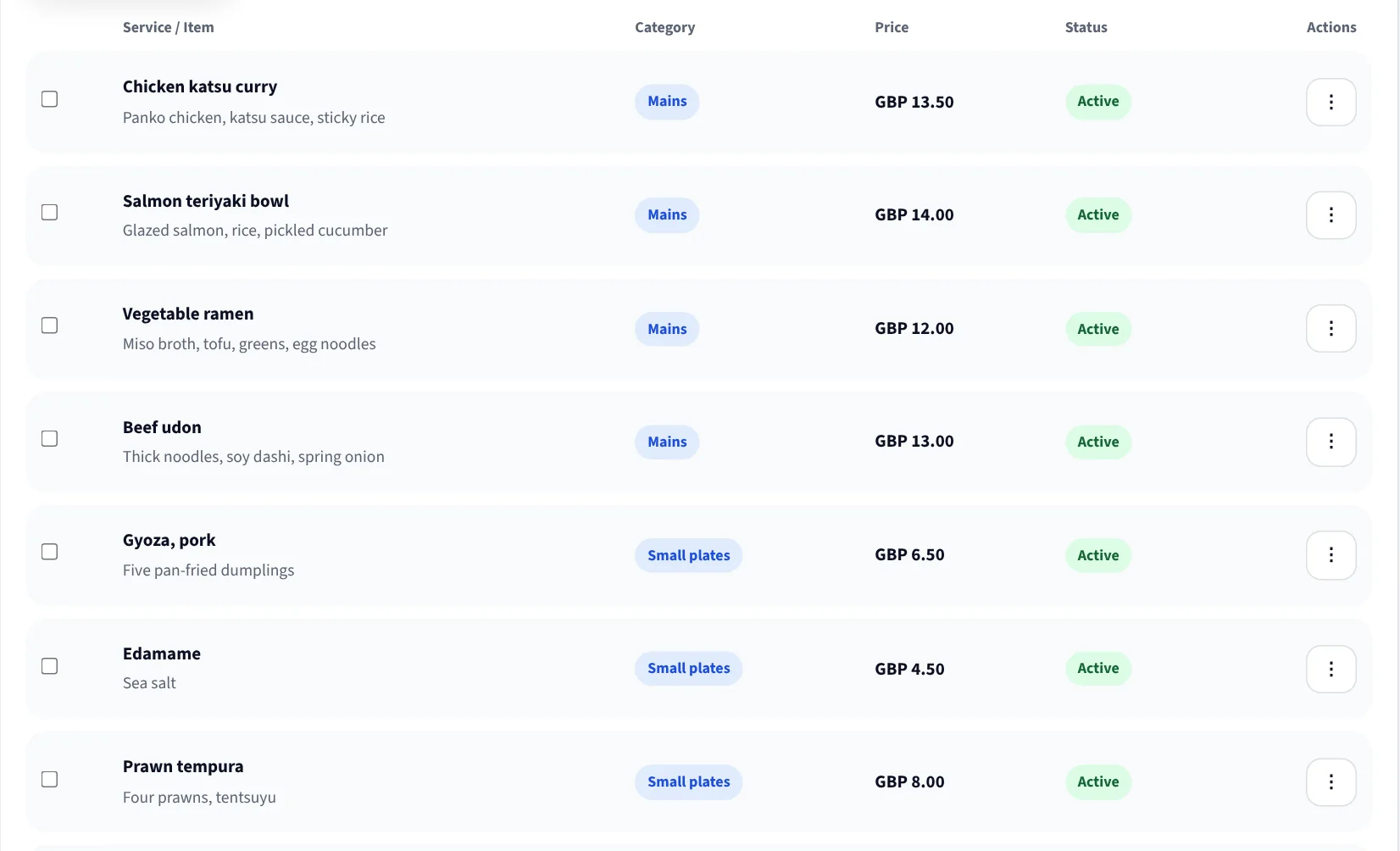
Set your base postcode, how far you go, what you charge and your minimum order. The assistant calculates the fee from those rules on the call.
If a caller is outside your range it says so directly and offers collection, rather than taking an order you cannot fulfil.
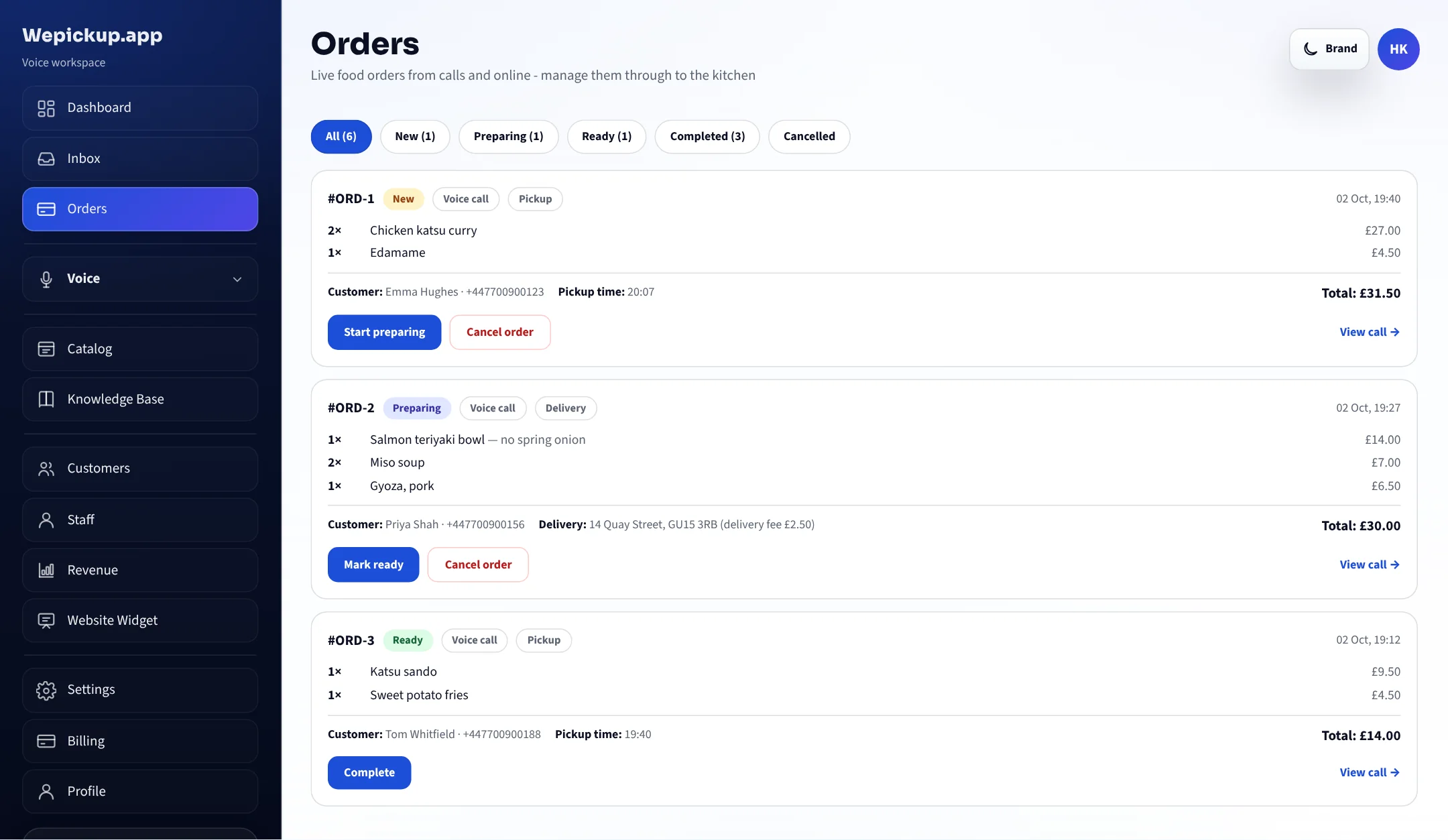
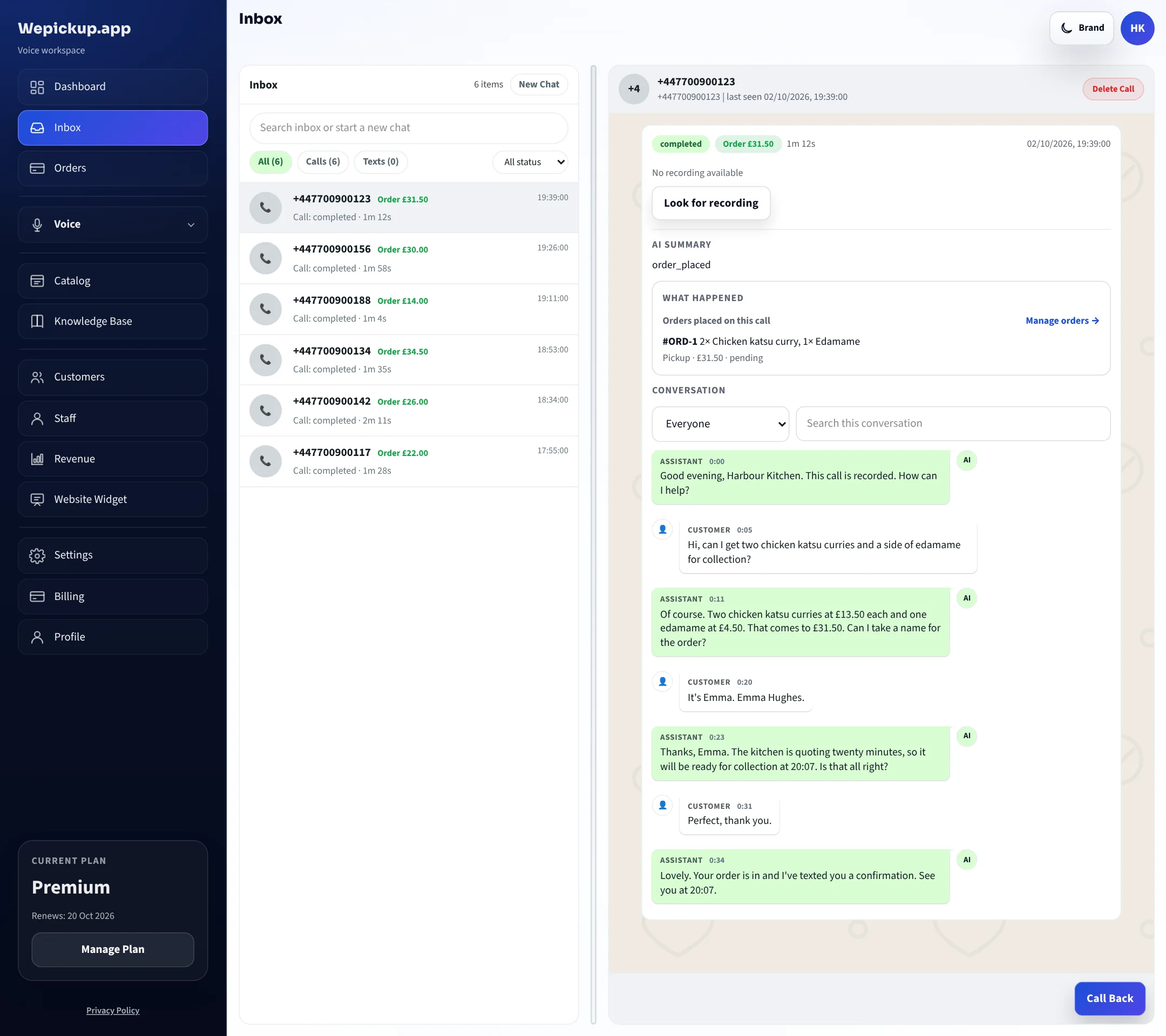
Each call is listed with its length, what it produced and the full transcript. When an order is queried two days later, you can read exactly what was agreed.
Straight answers
It reads from the catalog rather than from a trained-in copy of your menu, so a price is wrong only if the catalog is wrong. Update the row and the next call is correct.
Both live in the dashboard and take effect immediately. There is no retraining step and no waiting for anyone at our end.
They get one. You set the transfer number, and the assistant hands over when a caller asks for someone or when the question is outside its remit. The transfer is logged like any other outcome.
There is no project. Take a number, import your menu, set your hours and your transfer number. Everything else is optional and can be added later.
Read the call log. Every call, its transcript and what it produced are there, alongside the day's order count and value.
We do not publish named restaurant case studies or performance figures yet. When a customer approves their name and their numbers, they will appear here with their permission attached — not before.
FAQ
You import it once. The catalog holds each item, its category, its price and whether it is available, and the assistant reads those rows during the call. Change a price in the catalog and the next caller hears the new one.
Mark the item unavailable in the catalog. From the next call onwards the assistant stops offering it and tells callers who ask for it that it is off tonight.
Where you configure delivery it can. You set a base postcode, a maximum distance, a fee and a minimum order, and the assistant applies those rules — including telling a caller plainly when their address is outside your range and offering collection instead. Without that configuration it handles collection only.
You can connect Stripe and send the caller a payment link for the order. If you take payment on collection or delivery instead, leave it off — the order is captured either way.
Most of it is one sitting: take a number, import your menu, set your hours, record your transfer number. Delivery rules and a knowledge base can be added afterwards without touching the rest.
Yes. You nominate a transfer number, and the assistant hands the call over when the caller asks for someone or when the question is outside what it is allowed to answer.
Take a number, import your menu, and hear how your line is answered from the very next call.
Free plan, no card required. 20 AI-answered calls a month.