Hear it on your own line, free
The Free plan gives you your own number and 20 AI-answered calls a month with no card. Set it up, ring it yourself, and hear it handle your actual menu or service list.
Walkthrough
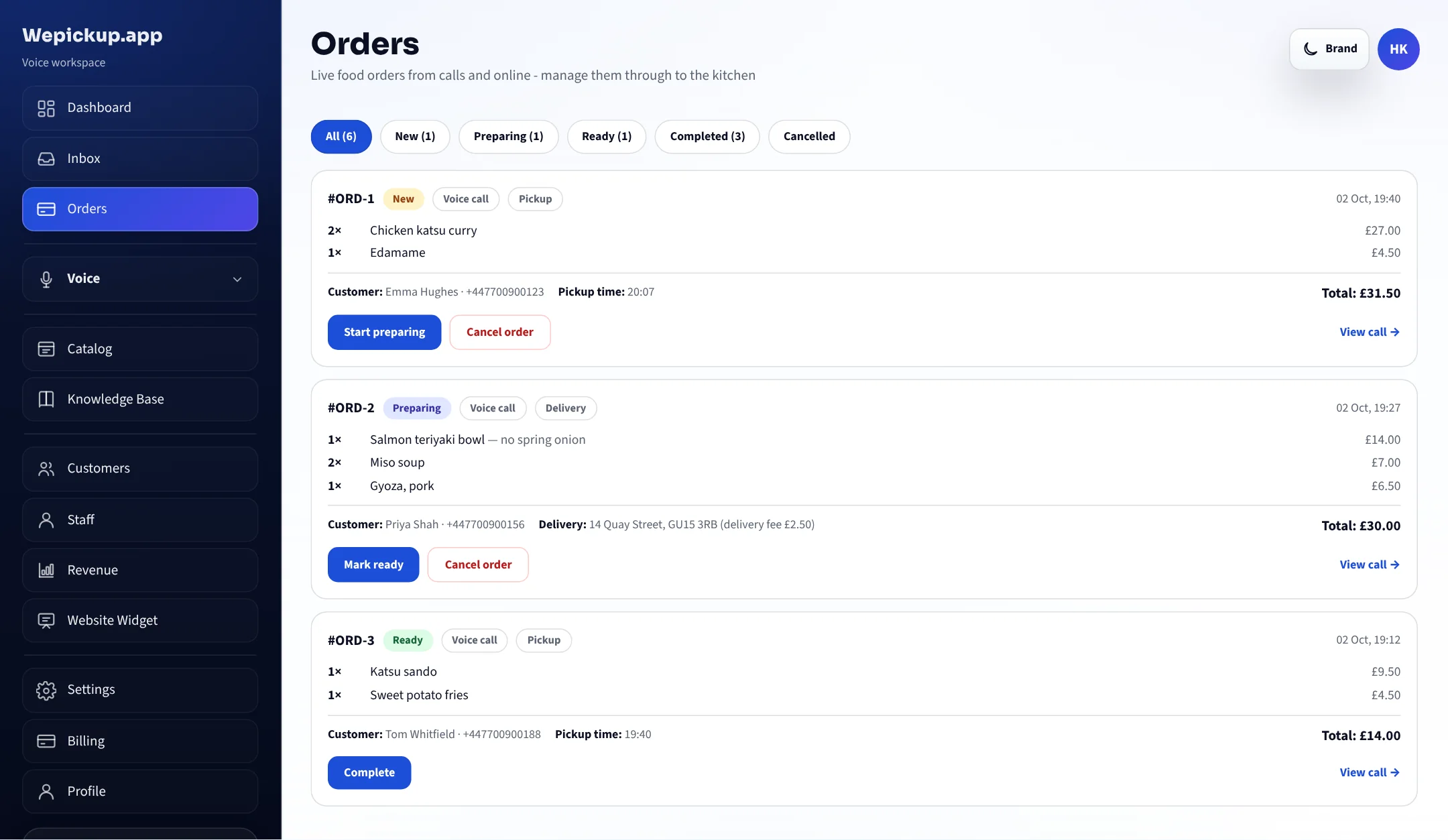
Two calls, played turn by turn: a takeaway order during service, and a treatment booking while the team is with guests. Each answer is labelled with the lookup behind it, and the record it produces sits beside it.
Free plan, no card required. 20 AI-answered calls a month.
Watch it work
Play a call
Harbour Kitchen
19:42 on a Friday. Both staff on the pass. The phone rings for the fourth time in ten minutes.
Good evening, Harbour Kitchen. How can I help?
Hi — can I get two chicken katsu and a side of edamame for collection?
Two chicken katsu and one edamame. The katsu is £13.50 each and edamame is £4.50 — £31.50 in total.
lookup_menu_itemPrices read from the catalog, not generated
Perfect. How long?
Collection is about 25 minutes tonight. Can I take a name and number for the order?
search_knowledgeCollection timing from your saved business rules
It's Emma, 07700 900123.
Thanks Emma. That's booked in for 20:07 collection. I'll text you the summary now.
place_orderOrder written to the Orders screen
Sent. See you shortly.
send_text_to_callerOne combined confirmation per call
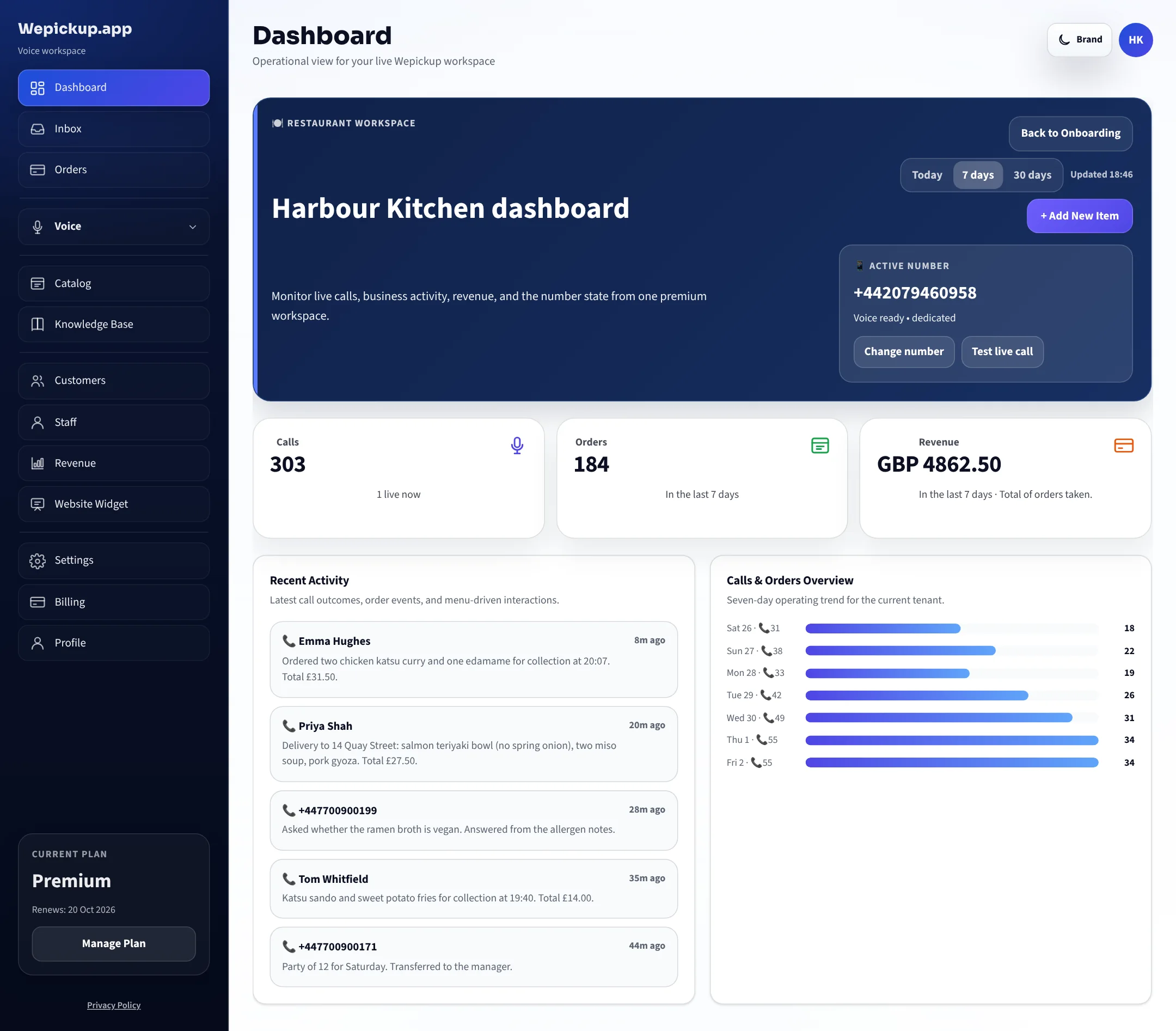
Illustrative call using the seeded demo business Harbour Kitchen. Tool names are the ones the live runtime calls.
About a call-me demo
Placing a real outbound call to a number typed into a public web page is easy to build and easy to abuse. Doing it responsibly needs a dedicated demo line, verified anti-abuse checks, per-number and per-IP limits, and explicit one-call consent recorded properly.
We would rather say that than put a button here that quietly fails, so there are two honest ways to hear it today.
The Free plan gives you your own number and 20 AI-answered calls a month with no card. Set it up, ring it yourself, and hear it handle your actual menu or service list.
Tell us what your phone does on a busy day and we will show you the same flow on a working workspace, and answer the awkward questions live.
Prefer email? Write to hello@wepickup.app with your business name and the kind of calls you get, and we will reply with the next step.
After the call
The outcome of the call is a working record: an order on the Orders screen, or a held slot in the calendar, with the customer’s details attached.
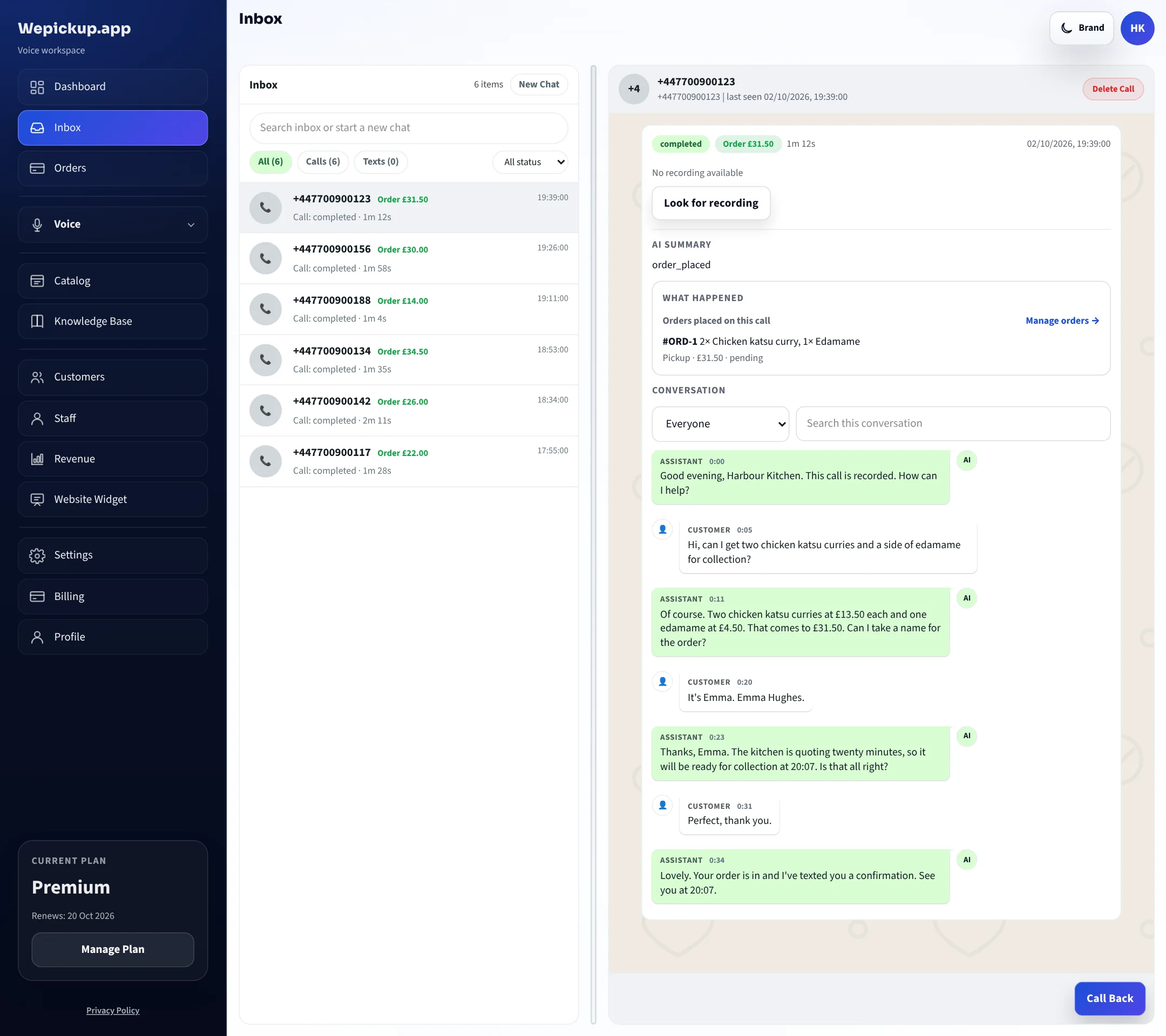
Every call is listed with its length, its outcome and the full transcript, so a query about what was agreed is a question you can answer in seconds.
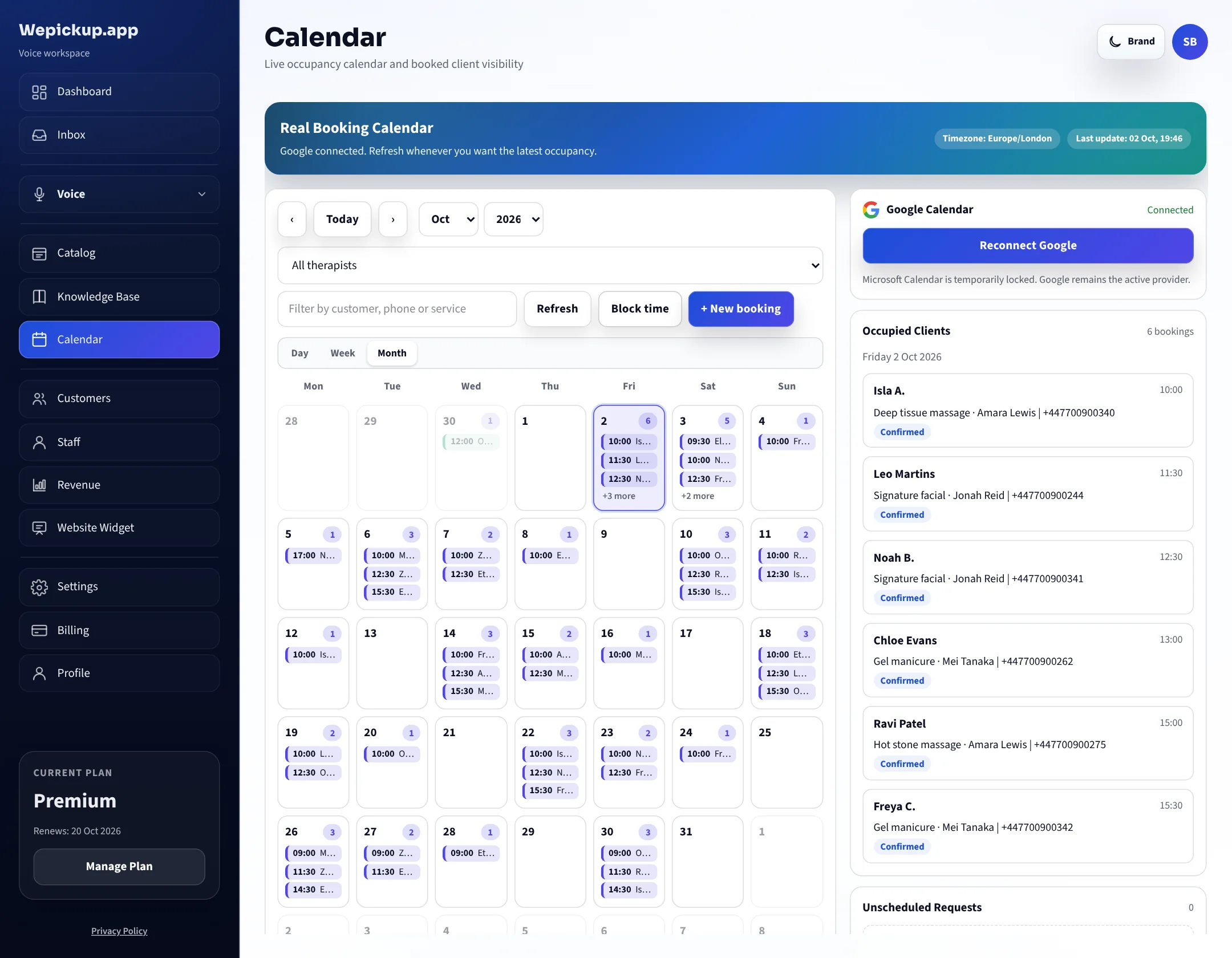
A booking captured on a call occupies the same slot as one taken at the desk, so the next caller is only offered a time that is genuinely free.
If you start today
No card on the Free plan. Take a new number in the dashboard, or start verifying the one you already advertise.
Import your menu or add your service list, set your opening hours, and nominate the number that calls should be transferred to.
Call the number and order something, or ask for an appointment. Then open the call log and read the transcript back.
Free plan, no card, your own line — the fastest honest way to judge it.
Free plan, no card required. 20 AI-answered calls a month.